

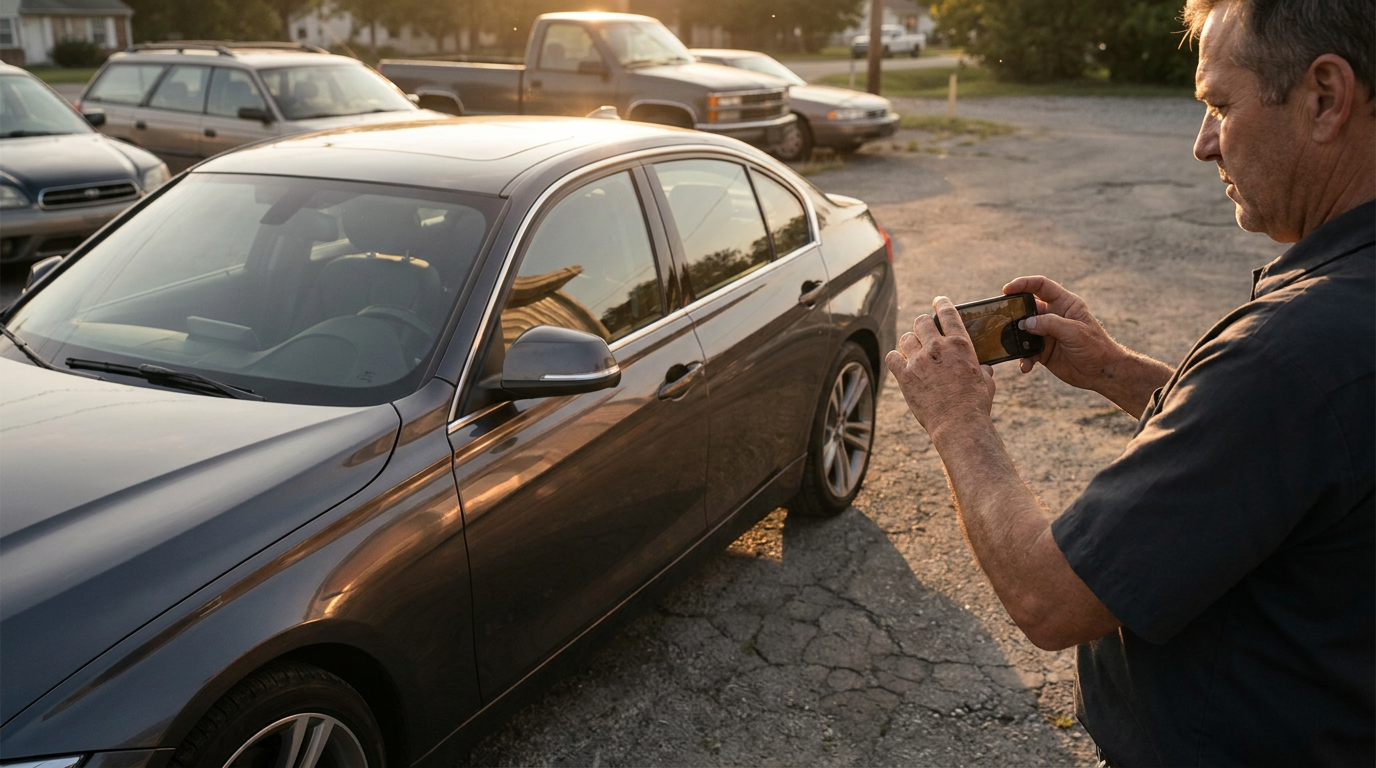
Independent dealers do not need a studio to produce better vehicle listing photos. What they need is a repeatable routine that makes every car look consistent, honest, and easy to compare.
A good used car photo workflow saves time because the decisions are already made: where to park, which angles to shoot, what to include, what to avoid, and how the final images should look. It also reduces the common listing problem where one car looks tidy and professional, while the next looks like it was photographed between errands.
The aim is not to make a rough car look perfect. The aim is to remove distractions, show the vehicle clearly, and give buyers enough visual information to take the next step with confidence.
Set one repeatable shooting routine
The fastest workflow is the one your team can repeat without thinking. Pick a shooting spot on the lot, decide the direction the car should face, and use the same sequence every time.
Start with the location. You want open shade or soft light where possible. Harsh midday sun creates blown-out paint, hard reflections, and dark interiors. If your lot has no ideal space, choose the least bad option: a clean section with fewer signs, bins, poles, and other cars in the background.
Then set the car up the same way each time:
- Remove loose rubbish, floor mats that are out of place, and obvious personal items.
- Wipe the steering wheel, centre console, screens, and door handles.
- Straighten the front wheels unless you deliberately use a slight turned-wheel angle for the hero shot.
- Close windows, sunroofs, doors, and the boot for exterior shots.
- Turn off wipers and make sure mirrors are unfolded.
- Switch headlights off unless they are part of a specific detail shot.
Use the same phone settings where possible. Clean the phone lens before every car. Shoot at the standard focal length rather than ultra-wide for most exterior images, because ultra-wide can distort the shape of the vehicle. Keep the phone around chest height for exterior three-quarter shots and slightly lower for a stronger front or rear angle.
The routine should be simple enough that a new staff member can follow it after one demonstration. If the process relies on one person with a good eye, it will break as soon as that person is busy.
Create a minimum shot list for every car
A minimum shot list keeps your car dealership photos consistent. Buyers should not have to guess whether you forgot to photograph the back seats, the boot, or the odometer.
For most used cars, a practical baseline is:
- Front three-quarter hero shot
- Rear three-quarter shot
- Straight front
- Straight rear
- Left side profile
- Right side profile
- Front wheel and tyre
- Rear wheel and tyre
- Dashboard from the driver door
- Steering wheel and instrument cluster
- Odometer reading
- Centre console and infotainment screen
- Front seats
- Rear seats
- Boot or cargo area
- Engine bay
- Compliance plate, service book, or relevant documentation if appropriate
- Close-ups of visible wear, damage, or notable features
The last item matters. If there is a scuff, dent, worn bolster, cracked trim piece, stained carpet, or kerbed wheel, photograph it clearly. Hiding it wastes everyone’s time and creates trust problems when the buyer arrives.
Dealers sometimes overthink the hero image and under-shoot the practical details. The hero shot gets the click, but the supporting photos help the buyer decide whether the car is worth inspecting. Strong dealer car photos should do both.
For higher-value cars, add more detail shots: headlights, tail lights, badges, panoramic roof, tyre tread, keys, charging cables, tray condition, tow bar, canopy, or accessories already fitted to the vehicle. Do not add or imply accessories that are not actually there.
Handle weather, clutter, and tight lots
Small dealers rarely have perfect conditions. Rain, neighbouring cars, signage, fences, and tight lots are normal. Your workflow should account for that instead of waiting for ideal circumstances.
On wet days, avoid photographing cars while rain is actively hitting the panels if you can. Water droplets can hide paint condition and create messy reflections. If the car is wet, be clear and fair: shoot enough close detail so the condition remains visible. Do not rely on rain to make paint look better.
If the lot is cramped, shoot the complete set in stages. Move the car once for exterior shots, then return it to its bay for interior and detail photos. It is slower than a studio, but faster than trying to crop out half a ute, a fence, and a rubbish bin from every frame.
For cluttered backgrounds, your best control is positioning. A five-metre move can make a bigger difference than any edit. Look behind the car before you shoot. Avoid poles growing out of the roof, bright signs next to the bonnet, or other vehicles cutting through the body line.
If you cannot avoid clutter, frame with more space around the vehicle. That gives editing tools more room to clean up the background without cutting into the car. It also helps if you use an AI tool later to replace or tidy the scene.
The key is consistency. A dealership does not need every image to look like a manufacturer press photo. It needs every listing to look deliberate, clear, and comparable.
Keep edits consistent across inventory
Editing is where many dealer workflows become messy. One car gets high contrast and a cool tone. Another looks warm and faded. A third has been sharpened too much. The result is an inventory page that feels uneven.
Set a simple editing standard:
- Keep colours natural.
- Do not change the vehicle’s paint colour.
- Do not remove dents, scratches, rust, worn tyres, cracked lights, or interior wear.
- Crop consistently across hero shots.
- Use the same image order for every listing.
- Heavily blur licence plates before publishing.
- Avoid filters that make the car look different from reality.
This is especially important on marketplaces such as Facebook Marketplace, Carsales and Autotrader where buyers are quickly comparing listings. Consistency makes your stock easier to browse.
It also helps your team. If the editing standard is clear, nobody has to decide from scratch whether an image is good enough. The answer becomes practical: is the car clear, is the condition visible, is the background distracting, and does it match the rest of the inventory?
Where AI can save time without misrepresenting cars
AI is useful in a used car photo workflow when it removes friction, not when it changes the truth of the car.
For independent dealers, the biggest time savings usually come from background cleanup, consistent presentation, and plate privacy. A tool like Cardabra can turn phone snaps into cleaner listing images by removing distracting backgrounds and clutter, creating a more showroom-style setting, and heavily blurring licence plates.
That does not mean pretending a car is better than it is. Cardabra does not add accessories, cover damage, change trim levels, or create fake improvements. If a bumper has a scrape, the scrape should remain visible. If a wheel is kerbed, buyers should be able to see it. If the interior is worn, the photos should show that honestly.
The right way to use AI is after you have captured the right shots. AI cannot fix a missing odometer photo, a badly framed boot shot, or a car photographed so close that half the rear quarter is cut off. It can make a clean, complete set of phone images look more consistent and professional.
A practical workflow looks like this:
- Shoot the standard exterior, interior, and detail list on your phone.
- Check the set before moving the car.
- Re-shoot anything blurry, cut off, or missing.
- Use AI to clean up distracting backgrounds and standardise presentation.
- Confirm the car’s real condition is still visible.
- Upload images in the same order every time.
If you want to test this on a few cars, start with vehicles that already have complete photo sets. Run them through Cardabra and compare the final listings for consistency, not fantasy. The question is not whether the car looks unreal. The question is whether it looks clear, tidy, and accurately represented.
Build the workflow into your listing process
A used car photo workflow only works if it becomes part of how stock moves through the business. Do not treat photography as the final scramble before publishing a listing.
A better process is:
- Detail or tidy the car.
- Photograph it using the standard shot list.
- Capture condition issues honestly.
- Edit or process the images consistently.
- Write the listing with the same facts shown in the photos.
- Publish only when the image set is complete.
For small dealers, this avoids rework. It also helps prevent awkward buyer conversations caused by missing photos or overly flattering images. A buyer who sees the condition clearly before arriving is more likely to be a serious buyer. Licensed dealers should also check the state advertising photo rules for QLD, NSW and VIC before publishing.
The best vehicle listing photos are not the most dramatic. They are the ones that answer questions quickly: What does it look like? What condition is it in? What features does it have? Is the seller presenting it properly?
That is the standard worth building around. A phone, a repeatable shot list, a tidy location, and honest AI-assisted cleanup can take you a long way without a studio setup. If your cars go through a detailer before listing, our guide to before and after photos for car detailers shows how to capture that work honestly as well.
Turn your phone snaps into showroom-grade listings.
Upload a photo, pick a background, and Cardabra returns a polished listing image in about 30 seconds.