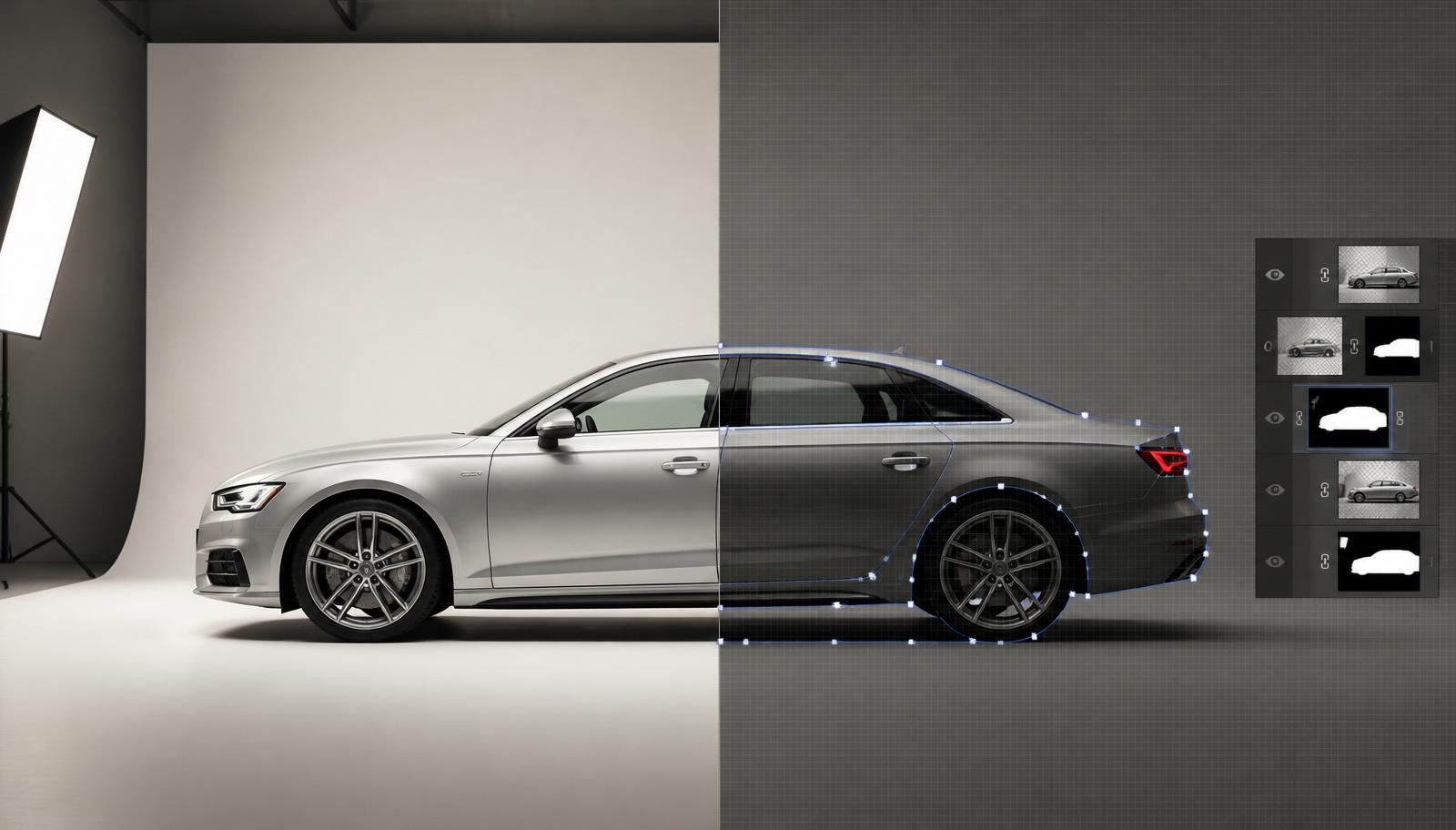
Removing a car from a busy driveway or a cluttered dealer lot used to mean one thing: Photoshop, a graphics tablet, and an hour of patient masking. Today, AI tools can do the same job in about 30 seconds. So which one should you actually use for your car listings?
This guide compares the two head-to-head, the workflow, the time cost, the quality, and, crucially for vehicle listings, how honestly each approach represents the actual car.
The two workflows, side by side
Photoshop (manual): open the photo, use the pen tool or Select Subject, refine the edge with hair/reflection tweaks, drop in a new background layer, colour-match the lighting, add a soft ground shadow, flatten, export. A skilled retoucher can do this in 15 to 30 minutes per image. A dealer with 20 cars a week is looking at a full working day of masking.
AI (Cardabra): upload the phone snap, pick a preset background, white showroom, dark studio, coastal road, suburbia driveway, and wait ~30 seconds. The car is isolated, relit, and placed into the new scene automatically. No layers, no pen tool, no colour matching.
Time and cost
For a single hero shot where you want pixel-perfect control, Photoshop still wins on flexibility. For a listing of 8 to 15 photos per car, across dozens of cars a month, the maths stops being close:
- Photoshop: ~20 min per image × 10 images = 3+ hours per car
- AI: ~30 sec per image × 10 images = 5 minutes per car
That's before you factor in the Creative Cloud subscription, the learning curve, and the fact that most listings never get retouched at all because the effort isn't worth it.
Quality, and where each one struggles
Modern AI backgrounds are genuinely photorealistic. The car is relit to match the new environment, reflections roll across the paint correctly, and the ground shadow is grounded. For 90% of car listings, the output is indistinguishable from a studio composite.
Photoshop still has the edge in two situations: highly reflective show cars where you want exact control over what the paint reflects, and creative composites where the car needs to interact with a specific real-world element (a person leaning on the door, a hand on the wheel). Those are editorial shots, not listing photos.
The honesty problem, why this matters for car listings
Here's the difference that matters most for anyone selling a vehicle: AI background swapping doesn't touch the car itself.
Cardabra deliberately preserves the original vehicle pixels. A scratch on the door stays. A stone chip on the bonnet stays. Faded plastic trim stays. Only the background, the messy driveway, the fluorescent-lit workshop, the neighbour's bin, is replaced.
Photoshop, in the wrong hands, is a temptation. It's trivially easy for a manual retoucher to "just clean up" a small dent, brighten faded paint, or remove a scuff. That crosses a line for vehicle listings, where the buyer is making a decision based on the photo. Misrepresentation via retouching is a real risk, and it's why serious dealers avoid heavy manual work on stock photography.
The AI workflow removes the temptation entirely. The background is swapped; the car is exactly as it was on the day of the photo.
Licence plates
Photoshop lets you paint over a plate, but people forget, or do it badly, and the plate shows through. Cardabra heavily blurs the plate as part of the pipeline, every image, automatically, without you having to remember.
When you should still reach for Photoshop
- One-off hero images for a magazine feature or website banner
- Composites with people, props, or specific environmental interactions
- Colour grading a shoot to match a brand palette exactly
- Fine retouching for a car auction catalogue (with disclosure)
When AI is the right call
- Every-day dealer or private-seller listings
- Trade-in photos that need to look presentable in an hour
- Marketplace uploads (Facebook, Gumtree, Carsales, AutoTrader) where speed to listing matters
- Any workflow where you're processing more than a couple of cars a week
The bottom line
Photoshop is the right tool when you need creative control and have hours to spend. AI is the right tool when you need consistent, honest, listing-ready photos in the time it takes to make a coffee.
If you're a dealer or a private seller listing a car this week, the honest answer is that AI is now good enough, and fast enough, that the trade-off has flipped. The car in the photo is still your car. The background just stops working against you.
Try it on your next listing: upload a phone snap using the free trial credits and see the result in about 30 seconds. For the full numbers in Australian dollars, including what a photographer charges, read What Car Photo Editing Costs in Australia. For what to look for when choosing between tools, see AI Car Photo Editor in Australia.
Turn your phone snaps into showroom-grade listings.
Upload a photo, pick a background, and Cardabra returns a polished listing image in about 30 seconds.