

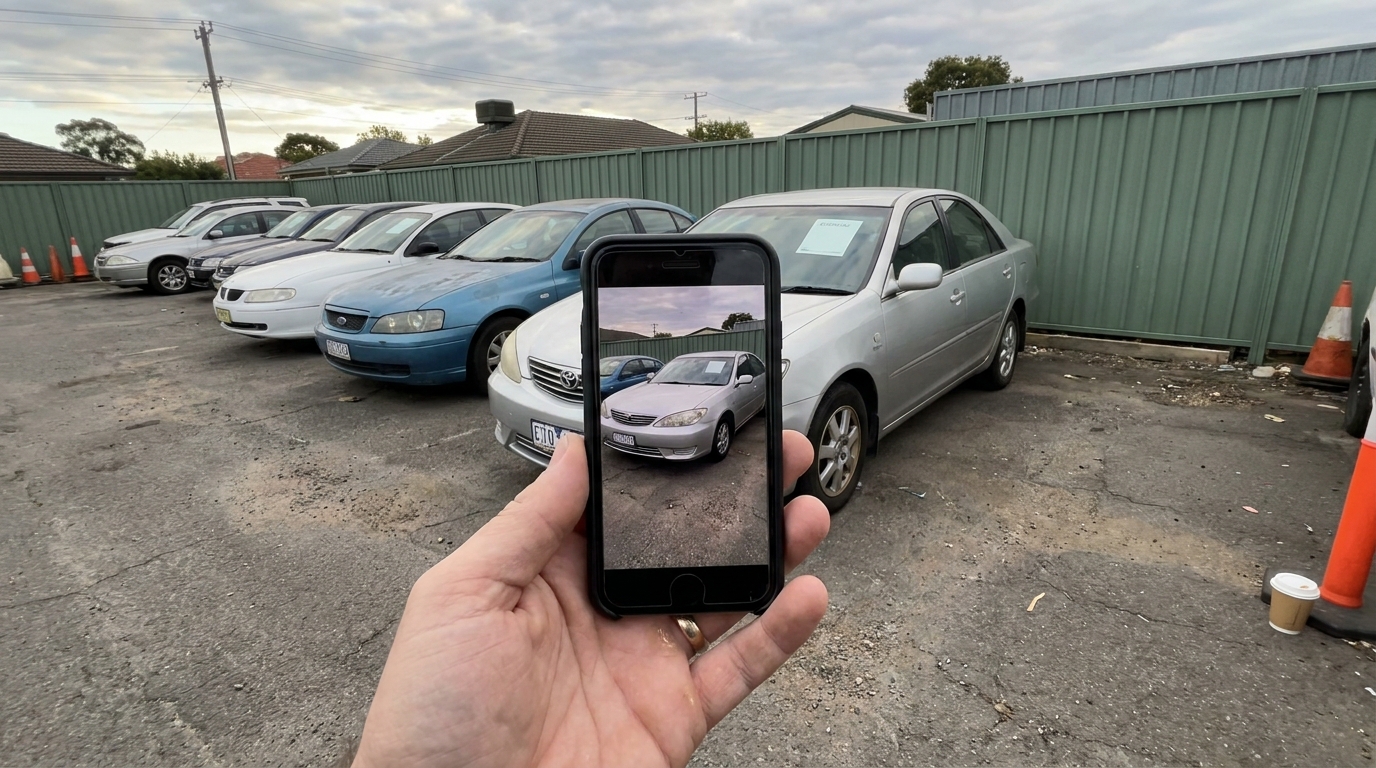
If you sell cars in Australia and want an AI car photo editor, the short answer is this: pick a tool that replaces the background and lighting around the car, blurs the number plate, and leaves the car itself exactly as it was photographed. Anything that repaints panels, removes scratches or fills in stone chips will get you into trouble under Australian Consumer Law and will cost you the sale the moment the buyer walks up to the car.
That single test rules out most of what comes up when you search for a car photo editor. The rest of this article explains why, what the good tools actually do under the hood, what they cost in Australian dollars, and how to choose between them if you are a dealer, a private seller on Carsales or Facebook Marketplace, or a detailer building a portfolio.
What an AI car photo editor actually does
Most people imagine a filter. It is closer to a small production line. A capable editor runs the photo through several stages of image processing, and understanding those stages is the fastest way to tell a serious tool from a toy.
The first stage is segmentation. The algorithm works out which pixels belong to the car and which belong to the driveway, the neighbour's fence and the wheelie bin. Good segmentation is hard around wheels, side mirrors, aerials and the gap under the car, and it is the difference between a clean result and a car that looks cut out with scissors.
The second stage is background synthesis. Once the car is isolated, the tool generates or composites a new environment behind it. Cheap tools paste a flat image. Better ones build a scene with a floor plane, a horizon and depth, so the car sits in the space rather than floating on top of it.
The third stage is relighting and grounding. This is where the shadows under the tyres, the reflections along the flanks and the overall colour temperature get matched to the new scene. Skip this step and the car looks like a sticker. Do it well and the eye accepts the photo as real.
The fourth stage, and the one that matters most in Australia, is restraint. A well designed editor changes everything around the car and nothing on it. Every dent, kerb rash and faded headlight in the original should survive to the output. Cardabra was built with that as a hard rule, and it is the reason the tool exists at all. The algorithm is doing sophisticated work, but the job it is doing is to present the car well, not to misrepresent it.
Why the Australian context changes the answer
Overseas comparison articles rarely mention this, but the legal setting in Australia is specific. Australian Consumer Law prohibits misleading or deceptive conduct in trade, and that applies to photos as much as to words. A dealer who removes visible damage in listing photos is exposed, and state licensing rules add their own advertising requirements on top, which we set out in Dealer Advertising Rules for Car Photos. A private seller who does the same is not caught by every dealer obligation, but still hands the buyer a clear reason to walk, negotiate hard or leave a review. We have written about where the line sits in Can You Edit Car Photos for a Carsales Listing? and about the disclosure question in Do You Have to Disclose AI Edited Car Photos in Australia?.
The platforms matter too. Carsales, Gumtree, Facebook Marketplace and Autotrader each crop and compress photos differently, and Carsales in particular is where dealer photos get compared side by side with hundreds of others. A tool that produces a consistent, well lit hero shot for the first slot earns its keep there. Number plates are another local detail. Blurring rego plates is normal practice in Australia for private sales, so an editor that handles that automatically saves a step. Our guide on blurring your number plate when selling online covers the why and the how.
Finally, the setting. A lot of Australian cars get photographed in driveways, on the street or in underground car parks with fluorescent light. An editor that copes with hard midday sun, dappled shade from a gum tree and mixed indoor lighting is more useful here than one tuned for a US dealer lot.
What to look for, in order
Honest output first. Run one photo of a car with a known scratch through the tool and check whether the scratch is still there. If it is gone, stop evaluating.
Edge quality second. Look at the wheels, the mirrors and the shadow under the car at full size. Halos, missing aerials and floating cars are the common failures.
Plate handling third. You want a heavy blur applied automatically, with the option to keep the plate visible if you are a dealer whose workflow needs it.
Speed and simplicity fourth. Dealers photograph stock in batches and private sellers do this once. Either way, the tool should take a phone photo and hand back a finished image in well under a minute, without a learning curve. The complexity belongs in the algorithm, not in the interface.
Background choice fifth. Studio, showroom, outdoor and custom dealership backgrounds cover most needs. Consistency across a whole listing matters more than variety.
Price last, but read it properly. Most tools charge per image, either through credits or a subscription. If you are weighing the overseas tools against each other, our MotorCut alternatives comparison puts MotorCut, Spyne and carbackground.ai side by side for Australian sellers. Work out the cost per finished photo, and check whether failed or regenerated images are charged again.
What it costs in Australia
Cardabra's consumer credit packs start at $19 for 25 credits, and a background replacement uses 3 credits, so a private seller is paying roughly two dollars per finished photo, less on the larger packs. New accounts get 6 free credits, which is enough to test the tool on a couple of your own photos before spending anything. Dealer subscriptions start at $99 a month for 200 credits, with unused credits rolling over. Full details are on the pricing page.
For comparison, a professional car photographer in an Australian capital city typically charges between $150 and $400 for a dealer shoot depending on the number of vehicles, and $100 to $250 for a single private car, and you are still left with the raw files unless retouching is included. Photoshop is powerful but a clean background swap done properly takes twenty to forty minutes per image for someone who knows what they are doing. We compare those options in AI vs Photoshop for Car Backgrounds.
Which type of seller you are changes the choice
Independent dealers should weigh consistency and volume. The win is a uniform look across the whole yard on Carsales, produced from phone photos by whoever is on the floor that day, without a photographer's calendar in the way. The used car photo workflow for independent dealers walks through how that fits into a normal week.
Private sellers care about the first photo. Marketplace and Gumtree buyers scroll fast, and a clean, well lit hero image gets the tap. Shoot the car properly first, because no editor rescues a bad angle. Our guide to photographing a car for sale with just your phone covers timing and the shot list.
Detailers have a different job again. Before and after photos are the product, and the after shot has to be believable. An editor that tidies the environment while keeping the paint exactly as it looks in person is useful. One that adds gloss is a liability, because the client will compare the photo to the car in their driveway.
Where the tools go wrong
The most common failure is over correction. Some editors apply global sharpening, contrast and saturation on top of the background swap, and a ten year old Corolla ends up looking freshly detailed when it is not. That is not a bug in the algorithm, it is a choice by the vendor, and it is the wrong choice for anyone selling in Australia.
The second failure is inconsistency across a set. If the first photo has a studio floor and the third has a beach, the listing looks assembled rather than shot, and buyers notice.
The third is bad plate handling, either leaving plates readable when the seller wanted privacy or smearing a black box across the front bar. Neither helps.
The practical recommendation
Choose the editor that does the sophisticated part well, meaning segmentation, relighting and grounding, and that refuses to touch the car. Test it on your own photos using free credits before you commit. Keep every photo in a listing in the same setting. Blur the plate if you are a private seller. And remember that the tool's job is to remove the distractions between the buyer and the car, not to change the car. Get that right and the photos do their work: more clicks, fewer wasted inspections and a buyer who arrives already trusting the listing.
Turn your phone snaps into showroom-grade listings.
Upload a photo, pick a background, and Cardabra returns a polished listing image in about 30 seconds.