

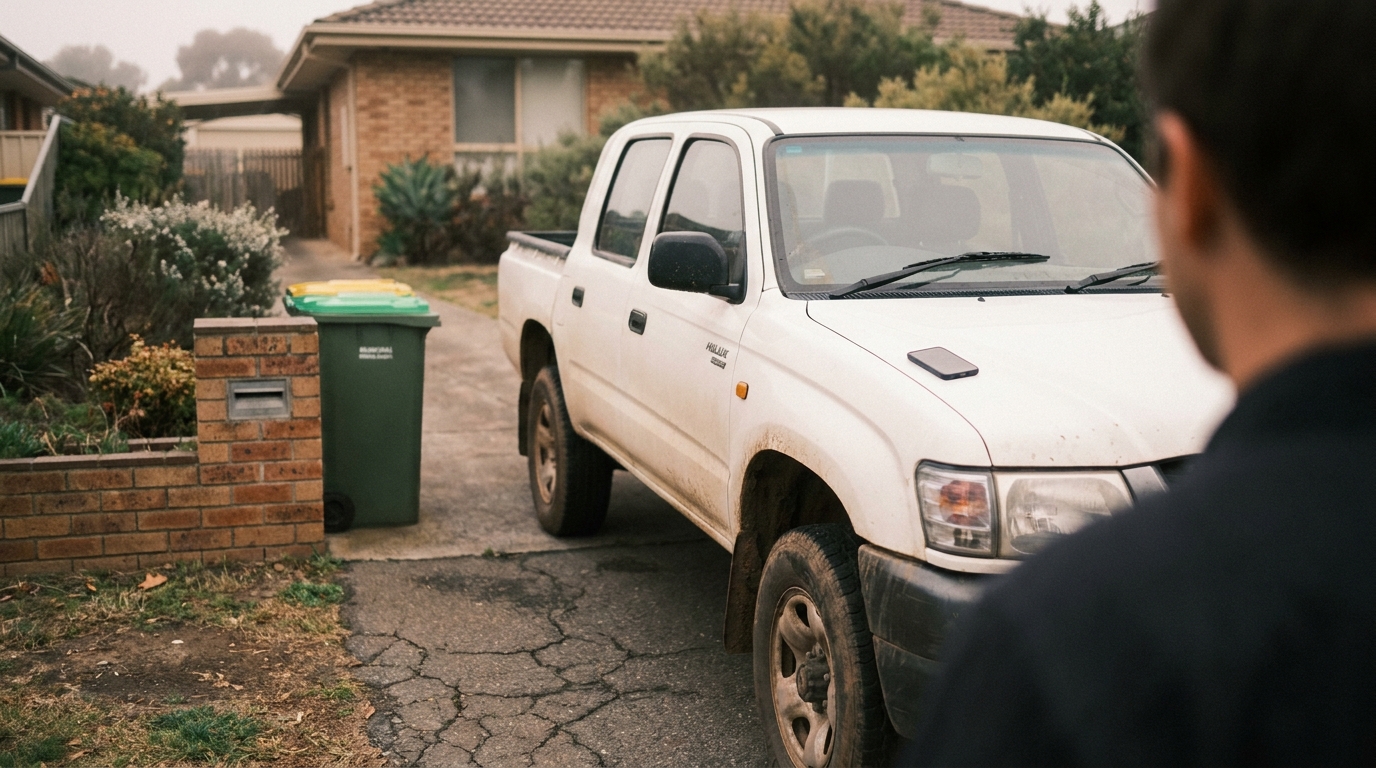
Most AI car photo tools are built for American dealerships processing hundreds of vehicles a month. CarPixAI is no exception. If you're a private seller in Brisbane trying to list your Hilux on Facebook Marketplace, that creates some friction.
The tool works. It removes backgrounds and cleans up images. But the workflow, pricing structure, and default settings assume you're running a used car yard in Texas, not selling your daily driver in Toowoomba. That gap matters more than you might think.
If you're searching for a CarPixAI alternative Australia sellers can actually use without dealer subscriptions or American assumptions baked in, here's what you should know before committing.
What CarPixAI Does Well
Credit where it's due. CarPixAI handles the core job competently. Upload a photo of your car, and the AI removes the background and drops in something cleaner. The processing is fast, the output quality is reasonable, and the interface is straightforward enough.
For American dealerships running volume, the batch processing and inventory management features make sense. They've built integrations with US dealer management systems and designed their pricing around businesses that need to process dozens or hundreds of cars monthly.
The problem isn't that CarPixAI is bad. It's that the entire product is optimised for a market that doesn't include you.
Where the Fit Falls Apart for Australian Private Sellers
Three things trip up Australian users almost immediately.
Pricing in USD with dealer minimums. When you're selling one car, possibly two this year, paying for a monthly subscription designed for dealer volume makes no sense. The per image rates only become reasonable at quantities private sellers never reach. You end up paying a premium for features you'll never touch.
No understanding of Australian rego plates. Every AI photo tool needs to handle licence plates carefully. Australian registration formats differ from American plates, and the blur or removal algorithms trained primarily on US data sometimes produce inconsistent results. You might get a perfect blur on one shot and a partially visible plate on the next. That's a privacy issue you don't want to discover after your listing goes live.
American defaults everywhere. From the background options (lots of generic showroom floors and American streetscapes) to the terminology in the interface, everything assumes you're stateside. It works, but it feels like wearing someone else's shoes.
If you're comparing options, the Spyne alternative comparison covers similar ground for another US focused tool.
What Australian Platforms Actually Require
Carsales, Facebook Marketplace, Gumtree, and Autotrader all have their own expectations for listing photos. None of them require studio backgrounds or dealer style presentation. What they do require is honesty.
Removing a cluttered driveway background is fine. Editing out hail damage is not. That distinction matters because Australian consumer law applies to private sales too, and misrepresentation creates real problems.
The photo requirements breakdown for each platform covers the specifics, but the short version is this: clean presentation is encouraged, hiding condition is not.
Any AI tool you choose should make that line easy to respect. If the default workflow encourages you to polish away scratches or digitally repair panels, you're using the wrong tool for the Australian market.
How Cardabra Handles the Australian Context
Cardabra was built with Australian sellers in mind from the start. That shows up in a few specific ways.
Pay as you go pricing in AUD. No monthly subscriptions, no dealer minimums. You pay for what you process, charged in Australian dollars. Check the pricing page to see exactly what that looks like for your volume.
Heavy rego plate blurring. The algorithm is trained on Australian plate formats and applies aggressive blurring by default. You don't need to check each image manually or worry about partial visibility.
Background removal without condition editing. Cardabra removes distracting backgrounds and clutter. It does not remove dents, scratches, or wear. What you see in the processed photo is what buyers will see in person, just without your neighbour's bins in frame. The honest editing approach explains why that matters.
The result is a listing photo that looks professional without looking suspicious. Buyers have become savvy about over edited images, and the reverse image search article shows just how easily they can verify what's real.
Price Comparison for Occasional Sellers
This is where the difference becomes concrete.
CarPixAI's pricing tiers are designed around monthly commitments and dealer volumes. If you're processing five to ten images for a single car sale, you're either paying per image rates that assume occasional use is a premium use case, or you're buying a monthly plan you'll use once.
Cardabra charges per image with no subscription required. For a private seller listing one vehicle, the total cost is a fraction of what a dealer focused tool would charge for equivalent output. For small independent dealers processing a handful of cars weekly, the same logic applies.
The cost comparison guide breaks down when professional editing makes sense versus DIY approaches, but for most private sellers, pay as you go wins on pure economics.
Which Tool Suits Which Seller
CarPixAI makes sense if you're running a medium to large dealership, you're already integrated with American dealer management systems, and you need batch processing for significant volume. The subscription model pays off when you're processing enough cars to justify it.
Cardabra makes sense if you're a private seller listing occasionally, a small independent dealer without enterprise software needs, or anyone who wants clean results without paying for features designed for US volume operations.
Neither tool is objectively better. They're built for different users. The question is which user you actually are.
If you're still comparing options, the MotorCut comparison and AI car photo editor guide cover other tools worth considering.
FAQ
Is CarPixAI available in Australia?
Yes, CarPixAI works from Australia. The service is accessible globally. However, the pricing is in USD, the features are optimised for American dealerships, and support hours align with US time zones. Australian sellers can use it, but the experience assumes you're operating in the American market.
Does Cardabra edit out damage from car photos?
No. Cardabra removes backgrounds and heavily blurs licence plates, but it never removes or conceals damage, wear, or the actual condition of your vehicle. What you photograph is what appears in your listing, just with distracting surroundings cleaned up.
What's the cheapest way to edit car photos for Marketplace in Australia?
For most private sellers, a pay as you go AI tool like Cardabra offers the best value. You pay only for the images you process, with no monthly fees or minimum commitments. This typically works out cheaper than subscription tools designed for dealer volume or hiring a professional editor for a single listing.
Do Australian car platforms accept AI edited photos?
Carsales, Facebook Marketplace, Gumtree, and Autotrader all accept photos that have been edited for background removal or presentation improvements. What they prohibit is editing that misrepresents the vehicle's condition. Removing a messy background is acceptable. Digitally repairing rust or dents is not.
Turn your phone snaps into showroom-grade listings.
Upload a photo, pick a background, and Cardabra returns a polished listing image in about 30 seconds.